Chyron Introduces PAINT 10.5, Bringing AI-Powered Camera Transitions to Sports Replay
CamWarp workflow helps operators create cinematic multi-angle replay moments without leaving PAINT
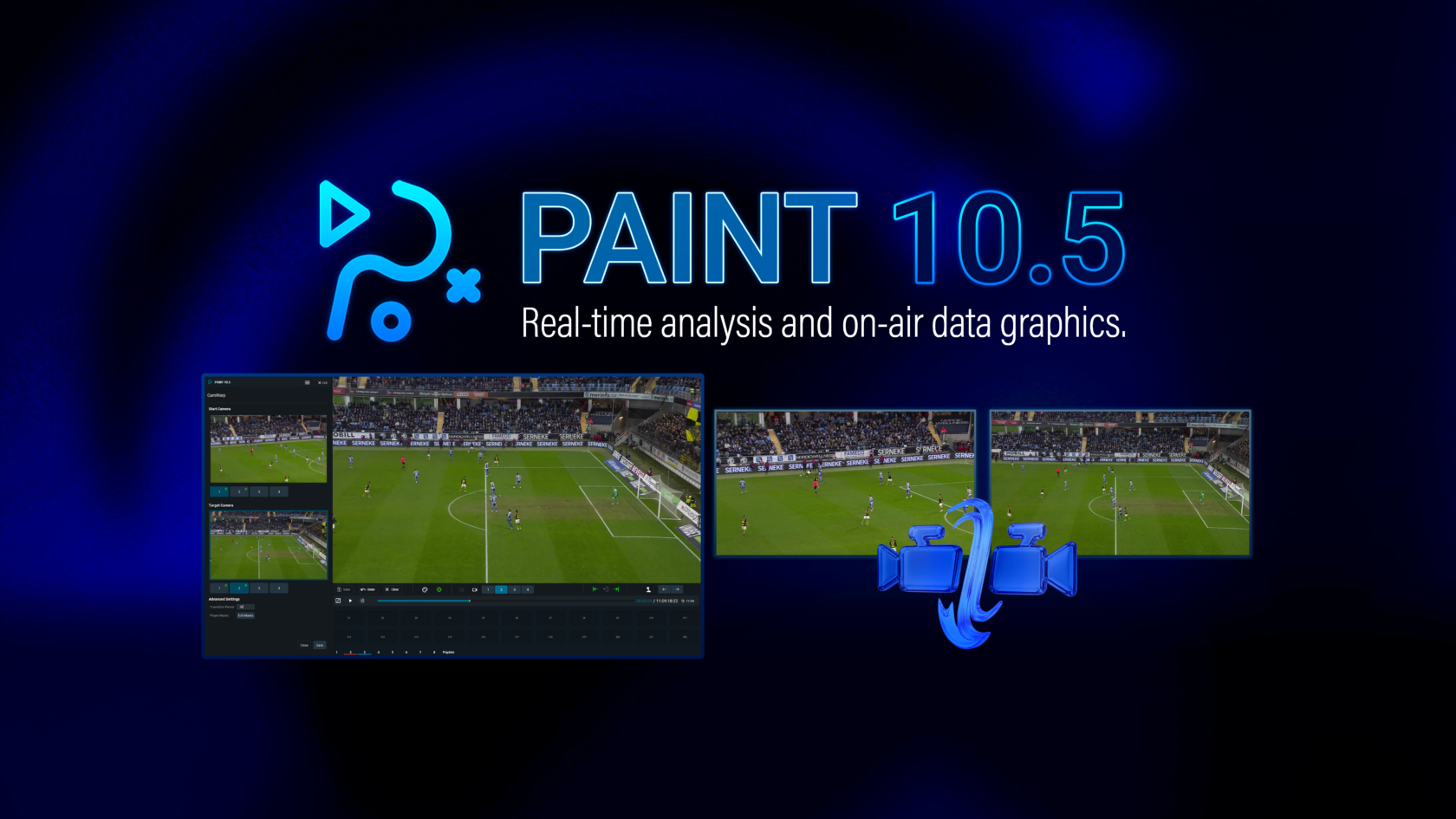
MELVILLE, N.Y. – September 3, 2026 — Chyron today announced PAINT 10.5, the latest release of its illustrated replay and sports analysis platform. Focused on making multi-angle replay storytelling smoother and more cinematic, PAINT introduces CamWarp. This AI-generated camera transition workflow helps operators move between synced replay angles with fluid motion instead of hard cuts.
CamWarp enables operators to select a saved multi-angle clip, choose the transition point, define the starting and target camera angles, and generate a new playable clip for review, iteration, or playout. Built around synced, calibrated angles, CamWarp keeps graphical elements correctly aligned throughout the transition, preserving analysis context as the replay moves between perspectives.
The workflow also includes tools to refine and polish the final result, including a player segmentation editor to clean up or add missing players before generation and an optional motion blur effect for more natural movement and softer visual artifacts during the AI-generated camera move.
Keep the Camera Transition Workflow Inside PAINT
Built directly into the PAINT replay workflow, CamWarp gives operators a faster path to a premium multi-angle replay look without adding unnecessary complexity to live production. The generated result appears as a separate clip in the clip bank, allowing teams to review, adjust, telestrate, or prepare the new version for playout while keeping the original replay asset untouched.
Because graphical elements remain correctly aligned throughout the transition, CamWarp also helps preserve the analyst’s context as the replay moves from one view to another. For broadcasters, CamWarp is more than a visual effect. It gives production teams a smoother way to guide viewers through a change in perspective while maintaining the clarity and integrity of the analysis.
Replay Graphics Aligned Through the Transition
CamWarp is designed to make AI-generated camera movement practical for live sports production. However, the quality of the final result depends on how cleanly the system understands the players and motion in the selected views. PAINT 10.5 adds controls that help operators improve the transition before it is generated and polish the final move before it is used on air.
Player Segmentation Editor
The player segmentation editor gives operators a simple way to improve the source frames used to create a CamWarp transition. Before generation, operators can review the selected starting and target angles, then clean up player segmentation or add missing players.
This is useful in challenging replay shots where players may be far from the camera, partially obscured, overlapping with others, or not fully detected by AI. Operators can make refinements inside the CamWarp workflow, giving the transition cleaner source information and reducing visible issues before review, telestration, or playout.
Motion Blur
Motion Blur adds an optional finishing layer to CamWarp by applying directional blur during the generated camera move. This helps the transition feel more natural to viewers, especially when the replay moves quickly between two different camera perspectives.
The feature also provides a practical production benefit by softening moments where small segmentation imperfections or edge artifacts may become more noticeable. The result is a cleaner, more polished CamWarp clip that feels closer to a natural camera move and better supports replay storytelling.
Build More Cinematic Sports Replay
PAINT 10.5 is designed to help broadcasters elevate replay storytelling, reduce disruptive hard cuts, and create more cinematic analysis, keeping operators focused on speed, clarity, and on-air execution. CamWarp, its player segmentation editor, and motion blur effect help PAINT operators create polished multi-angle replay moments without leaving the platform.
See What PAINT 10.5 Can Do for Your Replay Workflow
To learn more about how PAINT 10.5 and CamWarp bring AI-powered camera transitions, smoother multi-angle replay, and enhanced sports analysis workflows to live production, explore the latest capabilities in detail.
Want to see how PAINT 10.5 can fit into your production workflow? Connect with our team to discuss CamWarp, illustrated replay, sports analysis, and how PAINT can support your production goals.