Chyron PAINT 10.3 Adds New Ways to Visualize the Moment That Matters
AI-Driven Active Graphics, Place-Anywhere Speedometer, and Zone Spotlighting That Follows the Action
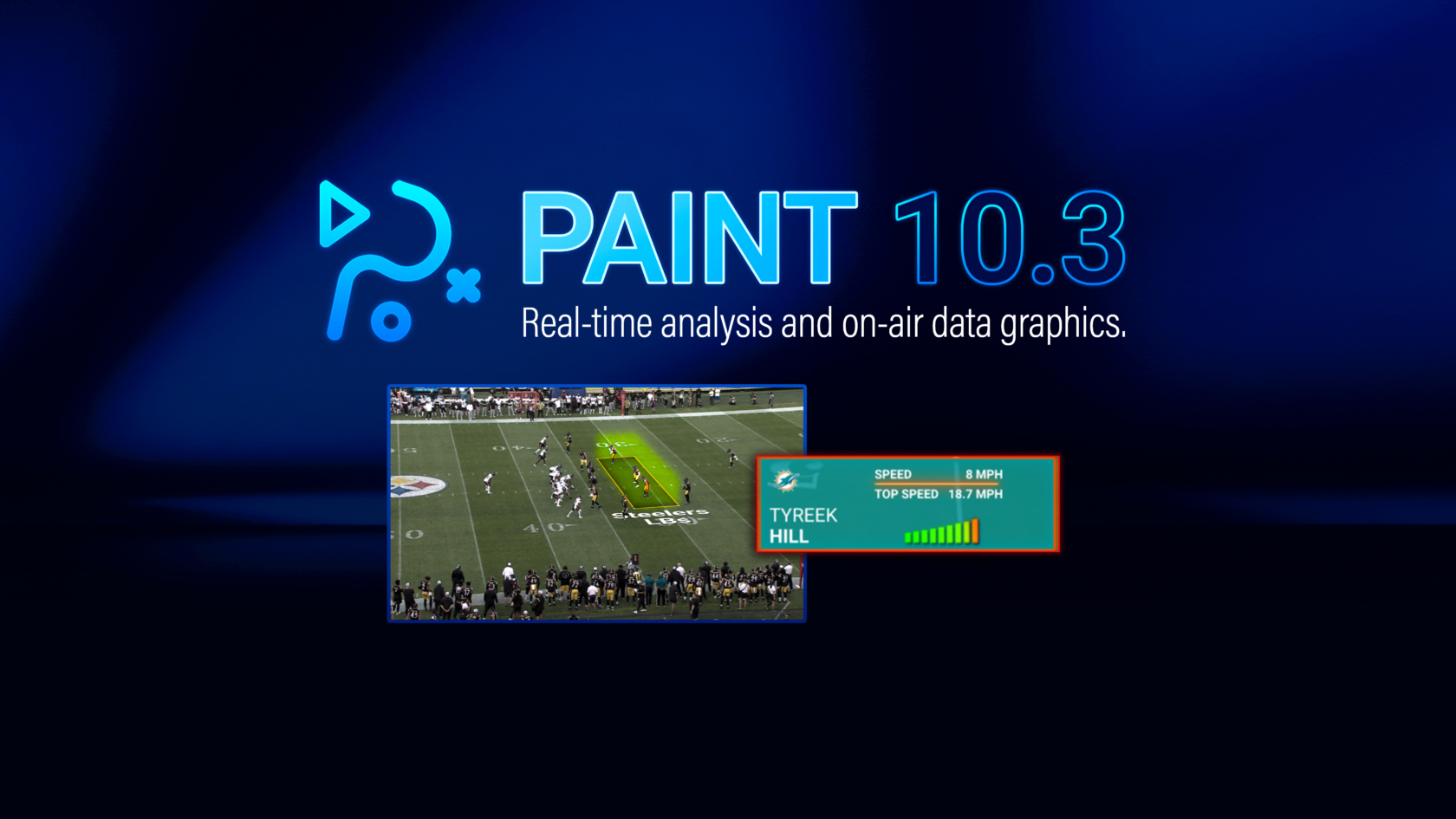
MELVILLE, N.Y. – February 19, 2026 – Chyron today announced the release of PAINT 10.3, designed to help analysts and operators turn live action into clearer, faster on-air storytelling. PAINT 10.3 introduces active graphics, an optional layer that animates visuals driven by PAINT’s AI player tracking or operator keyframing. The release also adds a new speedometer tool that can be placed anywhere and styled to match your show. It works in tandem with active graphics to show speeds both numerically and graphically. PAINT 10.3 also includes an updated zone tool that spotlights the play by blurring everything outside the zone, and an in-app version update notification to help teams stay current without disrupting production.
“With PAINT 10.3, we’re expanding how quickly teams can turn a moment into a clear on-air point, without adding steps in the control room,” said Andreas Olsson, Product Manager for PAINT at Chyron. “We are continually adding new functions and options to meet the standards of live sports production, and PAINT 10.3 is a strong example. Active graphics brings motion to sports storytelling, the speedometer tool delivers an immediate readout anywhere on screen, and the updated zone tool keeps attention on what matters most as the play develops.”
PAINT 10.3 adds an optional active graphics layer that animates visuals driven by PAINT’s AI player tracking or operator keyframing. By using AI player tracking to drive motion, such as the speedometer tool, teams can reduce manual keyframing and get to air faster, while still having the flexibility to apply the layer to manually created keyframes when needed. Operators can place active graphics as player-following billboards or as fixed 2D elements anywhere in the video, then reuse looks across shows to keep styling consistent and on-brand.
The new speedometer tool adds a place-anywhere speedometer graphic with multiple on-air looks, and driven by manual keyframing or PAINT’s AI player tracking for faster, cleaner execution. Operators can bind it to a tracked player to display name, live speed, and top speed, and place it wherever it best fits their show’s layout. The speed display reflects only the moment the tool is placed through the moment it is removed, keeping everything before and after untouched.
PAINT 10.3 also updates the zone tool with dynamic zone blur, softening everything outside a defined zone to spotlight the play. Operators can animate the zone to follow the action as it develops and fine-tune the outside treatment with adjustable blur, black-and-white, and brightness/contrast. For added control, teams can set blur height to include the players they want inside the zone and save those settings globally for consistent, repeatable results.
To help teams stay current without interrupting live operation, PAINT 10.3 adds an in-app version update notification that alerts operators when a newer build is available. The alert does not trigger an auto-install, and if dismissed, it resurfaces after seven days (or sooner if an even newer build is released), helping reduce stale-version surprises across sites running older releases.
PAINT 10.3 is built for live moments, helping teams tell clearer stories faster with data-driven tag visuals, flexible placement tools, and dynamic zone spotlighting. It also includes operator-safe workflow updates that keep productions moving when pressure spikes.
To learn more about PAINT and the latest 10.3 version release, view the breakdown on our landing page!